
Compress Your Images Below 200KB in Seconds – Free Online Image Compressor
Fix “File Too Large (200KB Limit)” errors instantly for Visa, Jobs & University Forms
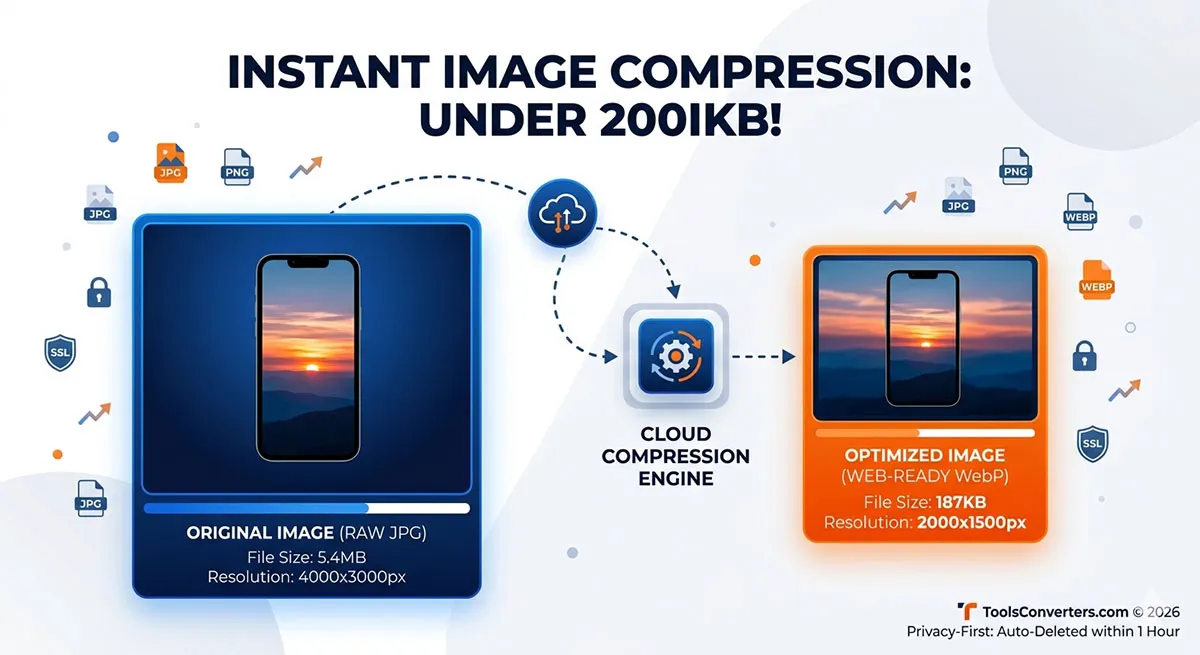 Have you ever tried uploading a passport-sized photo, an official document, or a resume to an online portal only to be hit by the frustrating error: "File size too large. Maximum limit is 200KB"? You are definitely not alone.
Whether you are a student submitting a university admission form, a job seeker uploading credentials, or a web developer trying to improve mobile site speed, managing image sizes is a daily digital hurdle. Fortunately, reducing file sizes doesn't mean your images have to look blurry or pixelated.
In this ultimate guide, we will show you exactly how to compress image sizes to less than 200KB instantly without losing any visible quality, completely online and free.
---
Why Do Online Portals Enforce a 200KB Image Limit?
Before jumping into the solution, it helps to understand why this boundary exists. Most government, academic, and corporate web servers process millions of applications daily. If every applicant uploads a raw 5MB or 10MB smartphone photograph, the server's storage would collapse, and the website would crawl to a halt.
Setting a strict 100KB or 200KB limit ensures:
- Blazing-Fast Loading Times: Smaller web pages mean smoother experiences for users on slow mobile networks.
- Server Sustainability: Less data strain keeps the hosting servers secure and running without random crashes.
- Standardized Frameworks: Optimized file formats keep databases neat and clean.
---
How to Compress Images Below 200KB Online (Step-by-Step)
You don't need expensive software like Adobe Photoshop or complex apps to shrink your pictures. Our cloud utility handles everything directly within your web browser in less than three seconds.
- Navigate to the Compressor: Go straight to our specialized Free Online Image Compressor.
- Upload Your Graphic: Drag and drop your heavy JPG, PNG, or WebP file into the secure workspace box.
- Select Optimization Mode: Choose your target compression level. Our smart algorithm automatically balances dimensions to bring the file size right below the 200KB mark.
- Download & Save: Click the Download Optimized Image button to save your freshly compressed, crystal-clear file instantly.
---
Top Tips to Keep Image Quality Intact During Compression
While automated utilities do the heavy lifting, keeping these fundamental tips in mind will guarantee executive-level clarity every time:
1. Convert PNG to JPG or WebP First
PNG files are lossless and carry huge metadata, making them naturally heavier. If your portal allows it, convert your image to .jpg or next-gen .webp before compressing. You can achieve up to an 80% reduction in file size instantly just by switching formats.
2. Crop Unnecessary Backgrounds
If you are uploading a signature or a headshot, crop out the extra empty borders before hitting the compression engine. Less pixel surface area directly translates to a lighter, cleaner file size.
3. Beware of Infinite Re-compression
Compressing the same image over and over through multiple platforms will cause artifacts and blurriness. Always start with the original high-resolution photo taken directly from your camera for the best structural results.
---
Is It Safe to Upload Confidential Photos to Online Compressors?
This is a highly critical question. Many free web tools store your personal pictures, receipts, or IDs on their servers indefinitely, exposing you to severe data leaks.
At ToolsConverters.com, privacy isn't just an afterthought—it’s our core pillar. All data transmissions are safely wrapped in end-to-end SSL encryption. Most importantly, our system runs an automated wiping script that permanently deletes all your uploaded and processed images from our cloud nodes within 1 hour of processing. Your files remain exclusively yours.
---
Works Perfect For
🎓 Students
- University admission forms
- Scholarship applications
💼 Job Seekers
- CV photos
- Online job portals
🛂 Travelers
- Passport applications
- Visa submissions
🏢 Professionals
- Government forms
- ID card uploads
🔐 Is It Safe?
Yes — 100% secure.
We ensure:
✔ SSL encrypted transfer
✔ No permanent storage
✔ Auto file deletion within 1 hour
✔ Private browser processing
👉 Your data stays only with you
⚡ Key Features
✔ Compress images below 200KB
✔ Maintain HD quality
✔ Support JPG, PNG, WebP
✔ Fast processing engine
✔ Works on mobile & desktop
✔ No installation required
📊 Supported Use Cases
- NADRA upload requirements (Pakistan)
- USA visa photo limits (2x2 inch uploads)
- UK & EU passport systems
- Online job portals
- University admission systems
🎯 Why Users Prefer Us Over Other Tools
Unlike traditional tools:
❌ No software required
❌ No registration
❌ No slow uploads
❌ No hidden watermark
✔ Fast
✔ Free
✔ Reliable
✔ Mobile optimized
📌 More Tools
Explore more free tools:
- 🖼️ Image Compressor → https://toolsconverters.com/image-compressor
- 📏 Image Resizer → https://toolsconverters.com/image-resizer
- 🔄 Image Converter → https://toolsconverters.com/image-converter
- ✂️ Image Cropper → https://toolsconverters.com/image-cropper
- 🤖 AI Passport Photo Maker → https://toolsconverters.com/ai-passport-size-photo-maker
❓ Frequently Asked Questions
Q1: Can I compress image below 200KB?
Yes, the tool automatically optimizes images under 200KB.
Q2: Will quality be reduced?
No visible quality loss. Only unnecessary data is removed.
Q3: Is it free to use?
Yes, 100% free with no limitations.
Q4: Does it work on mobile?
Yes, works on Android and iPhone browsers.
Q5: Can I use it for government forms?
Yes, it's optimized for NADRA, visa, and job portals.
🚀 Stop Rejected Uploads – Fix Your Image Size Now
Compress your image below 200KB in seconds and upload anywhere without errors.